> For the complete documentation index, see [llms.txt](https://helpdesk.ldtsoft.work/ldt-digital-downloads/llms.txt). Markdown versions of documentation pages are available by appending `.md` to page URLs; this page is available as [Markdown](https://helpdesk.ldtsoft.work/ldt-digital-downloads/frequently-asked/how-to-make-this-app-works-with-multilanguage.md).
# How to translate the app and its emails
Translate the storefront, checkout page, customer account page, emails and admin texts into other languages.
1. In your **Shopify admin dashboard**, look at the left-hand panel and click on **Apps**.
2. Click on **LDT Digital Download Pro**.
3. Click on **Settings**.
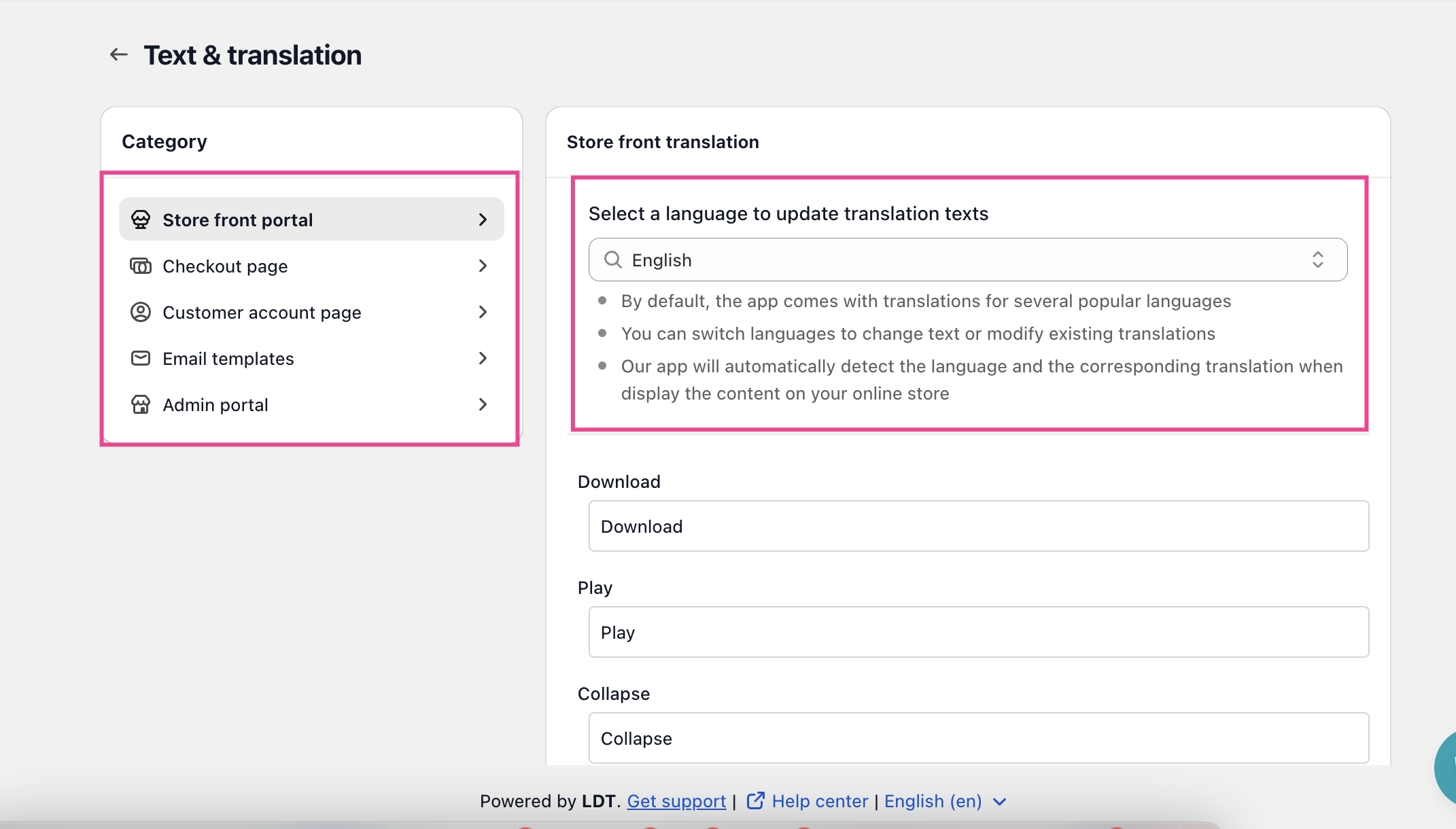
4. Click on **Text &** **Translation**.
* By default, the app comes with translations for several popular languages
* You can switch languages to change text or modify existing translations
* Our app will automatically detect the language and the corresponding translation when display the content on your online store
**Choose the area where you want to translate the text.** The options include:
* **Storefront Portal:** The customer-facing pages where products and downloads are displayed.
* **Checkout Page:** The page where customers complete their purchase.
* **Customer Account Page:** The section where customers manage their orders and downloads.
* **Email Templates:** The emails sent to customers, such as order confirmation and download links.
* **Admin Portal:** The backend interface used by store owners and staff.
After selecting the desired area, you can **input your translations for each text field - then s**ave your changes.
***